
Connect Garmin
What Garmin sends to Form, the consent it needs, and how to disconnect.
Updated 4 November 2026
Garmin is Form’s main training source. Once you connect, Garmin pushes your sessions and recovery data to Form as your watch syncs, so there is nothing to refresh by hand. You can have one training source at a time: Garmin or Intervals.icu.
Where to find it
There are two places on the web at app.formendurance.com. New athletes meet it in setup step 2 (Your training data). Everyone else finds it under Profile. If no source is connected yet, the Coach page also shows a Connect Garmin button that takes you there.
Profile → Connected data
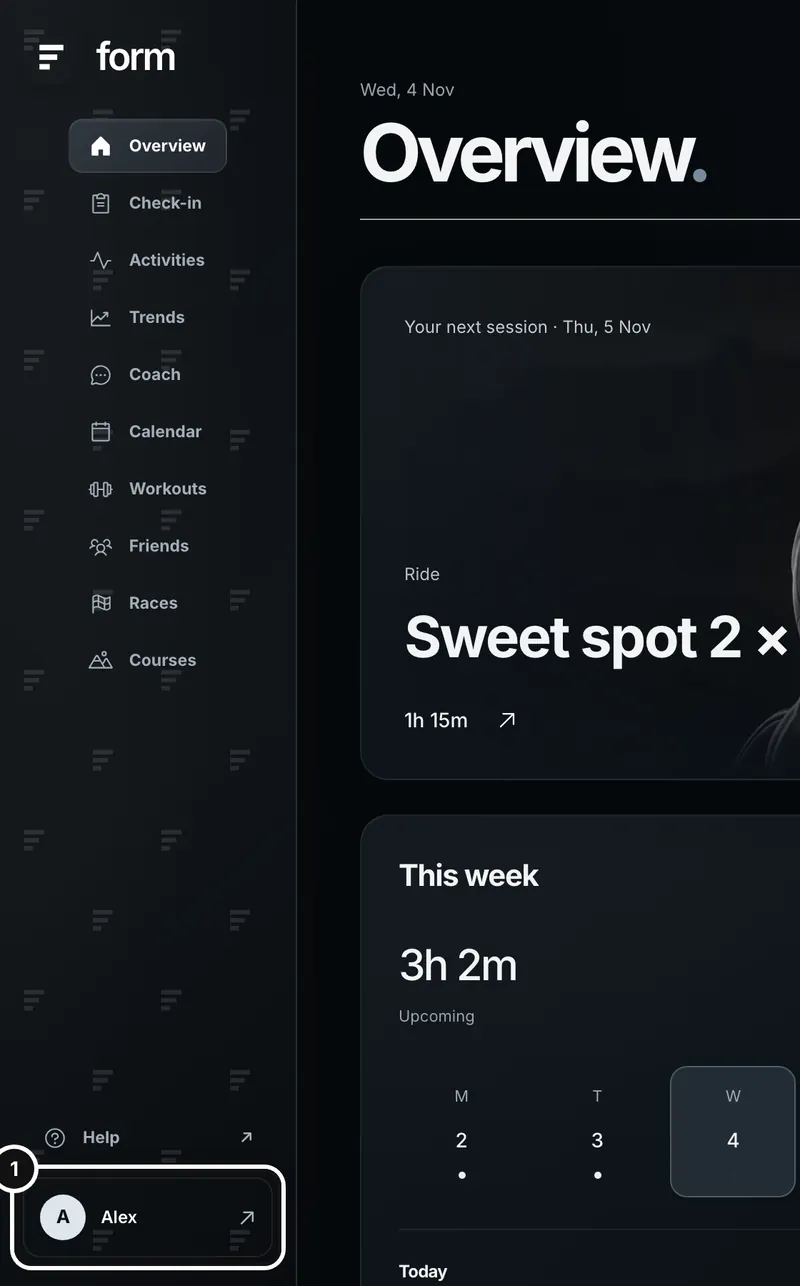
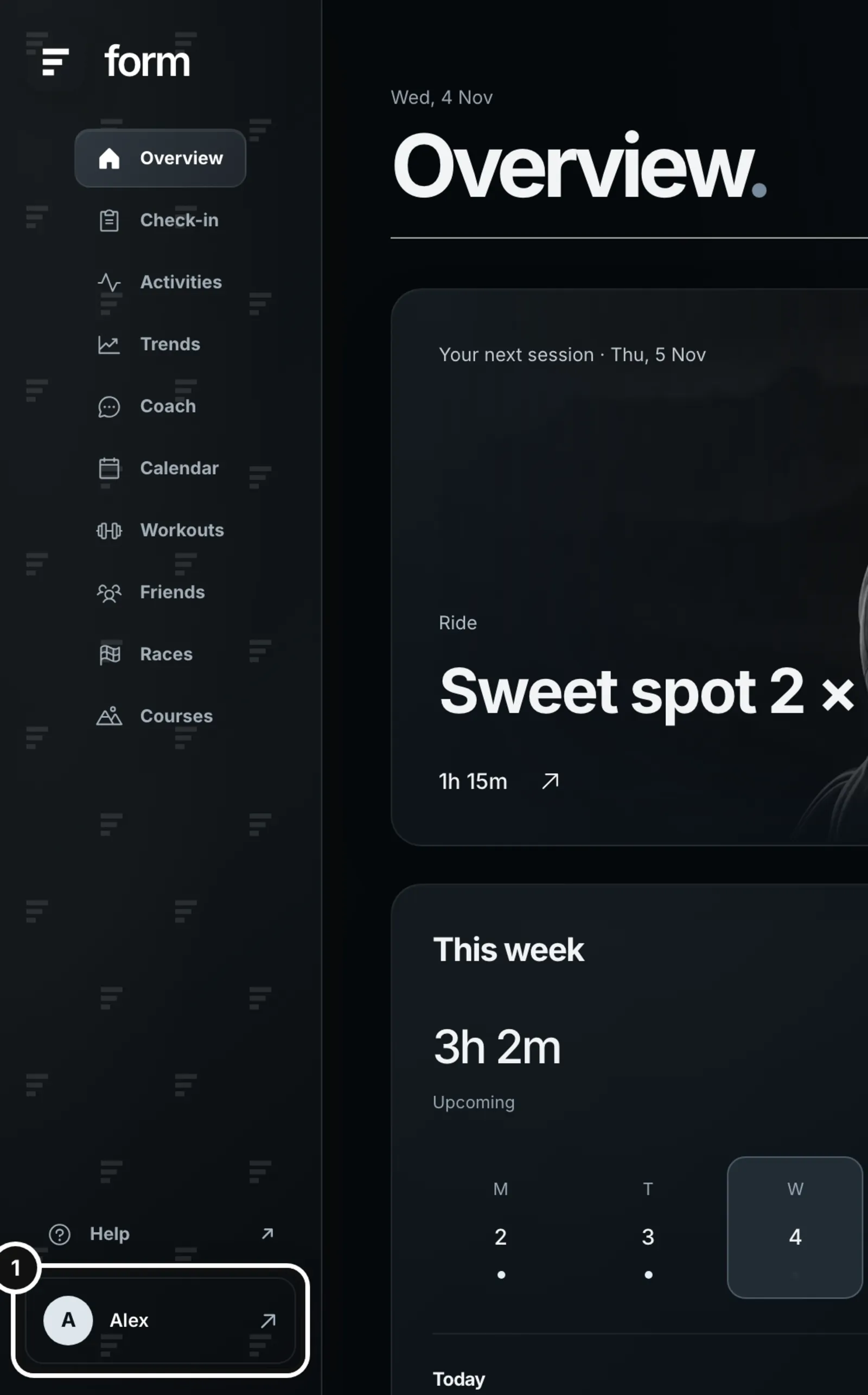
1Click your name at the bottom of the left sidebar to open Profile & settings.
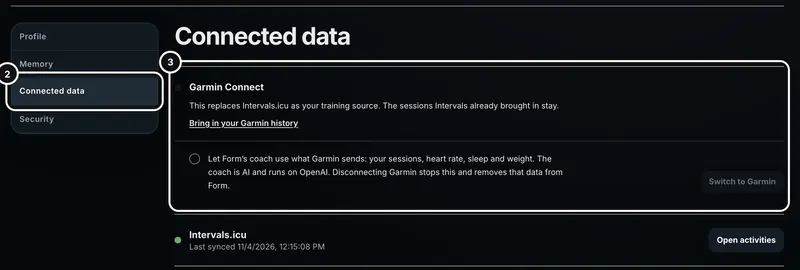
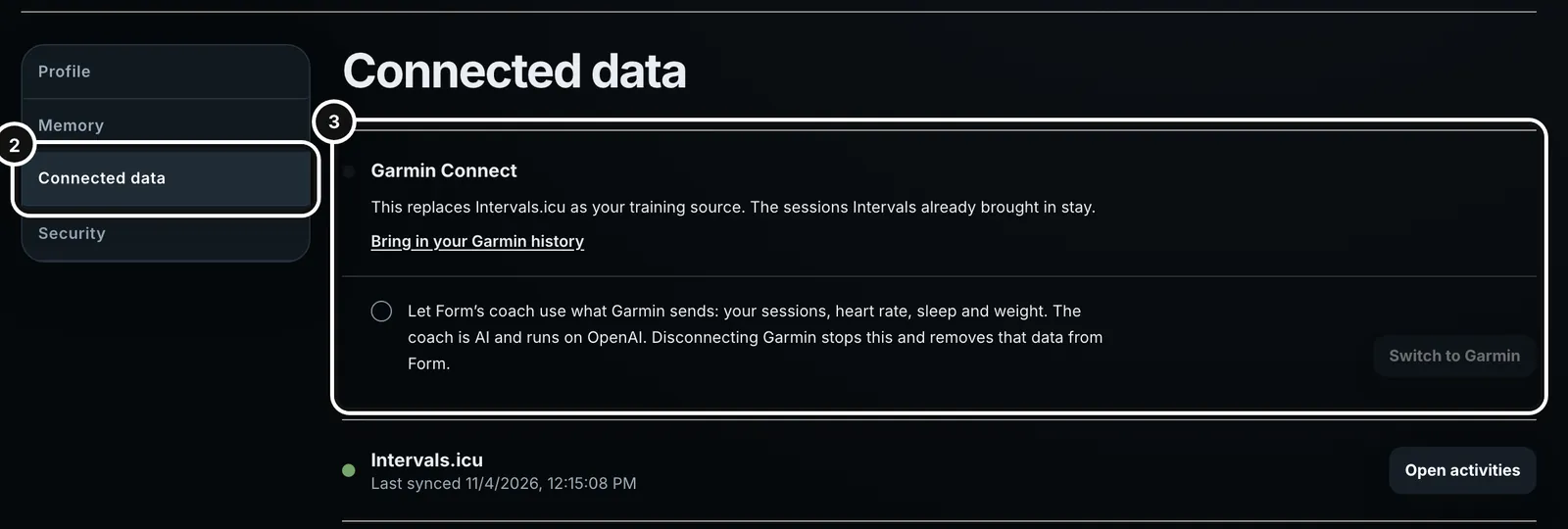
2Choose Connected data. Garmin Connect is the first card, above Intervals.icu.
In the Form app on your phone, Garmin connects from onboarding and from the Connected data card in your profile. The app opens Garmin’s page in your browser and brings you back when you approve.
What Garmin sends
- Sessions: each run, ride and swim after your watch syncs. The summary arrives first, so the session shows up quickly. The recording file follows with heart rate, power, GPS, splits and the measured load. If the file never arrives, the summary still counts.
- Recovery: sleep, HRV, resting heart rate, weight and VO2max go into that day’s recovery data.
- Richer health data, if you allow it in Garmin Connect: sleep stages, stress, Body Battery, pulse ox, breathing, skin temperature, blood pressure, body composition and more. Form keeps it encrypted. The coach can read a day’s summary, and the Check-in page shows it under “From Garmin”.
- Your plan, going the other way: a plan you approve is put on your Garmin calendar. So is a workout from your library that you place on a day. Moving or deleting it in Form does the same on Garmin.
Connect step by step
- Open Profile → Connected data (or setup step 2).
- Read the consent line and tick “Let Form’s coach use what Garmin sends: your sessions, heart rate, sleep and weight. The coach is AI and runs on OpenAI. Disconnecting Garmin stops this and removes that data from Form.” The Connect Garmin button stays grey until you do. Garmin’s agreement allows AI processing of your data only with your explicit, withdrawable consent, and the server refuses a connection without it.
- Press Connect Garmin. The button reads “Opening Garmin…” and Garmin’s own page opens.
- Sign in to Garmin if asked and approve. Leave the permissions you want Form to have ticked: activities for sessions, health for recovery, and workout import for plans and workouts.
- You return to Form with a one-line result: “Garmin is connected. Your sessions arrive after your watch next syncs.”
- Sync your watch in the Garmin Connect app. Your next session arrives a minute or two after that sync.
If Intervals.icu is already connected
The card says “This replaces Intervals.icu as your training source. The sessions Intervals already brought in stay.” and the button reads Switch to Garmin. Intervals.icu is only disconnected after Garmin approves, so pressing Deny on Garmin’s page leaves Intervals.icu exactly as it was. The sessions and recovery data Intervals.icu already brought in stay in Form. If a Garmin session and an Intervals.icu session of the same sport start within 10 minutes of each other, Form keeps one copy.
What you will notice afterwards
- Garmin sessions show “Garmin” and the device name on the session page and in Activities, and the coach names Garmin when it cites one.
- There is no Sync button. Garmin pushes data to Form. The Sync button is for Intervals.icu athletes.
- If your phone and your Garmin both recorded the same run or ride, Garmin’s recording is kept: it takes the place of the phone’s, at the same address. A ride on Form’s trainer is the other way round: the trainer’s copy is kept and Garmin’s is not stored.
- For the first 42 days after you connect, the coach is told that a short Garmin history may mean missing data, not rest. The note is left out when Form already holds your training from the six weeks before you connected, from Intervals.icu or Form’s own recordings, in at least four of those weeks and one of them in the last two.
- A triathlon arrives as one session per leg, shown together as one race.
- If a session has no load from the file, Form works one out from power or heart rate and marks heart-rate loads as estimates.
Plans and workouts on your Garmin calendar
- Approving a plan, or placing a library workout on the Calendar, sends it to Garmin in the background. A plan card can show “Sending to Garmin” with a count while it works. Long plans are sent in batches because Garmin limits how fast Form can send.
- Only today onward is sent: runs, rides and swims. Pool swims go as Garmin pool swims with no pool size, so your watch uses its own, and their targets go as text. Garmin has no open-water swim workout, so an open-water swim goes as a timed workout. Read it beforehand and start Open Water Swim on the watch as usual.
- Editing a plan removes what Form sent earlier and sends the new version.
- If workout import is off in Garmin Connect, sending is refused with “Allow workout import for Form in Garmin Connect”. Turn it on there and send again.
Garmin sessions to Strava
A Garmin session can be sent to Strava one at a time with Send to Strava on the session page. Form sends the file Garmin pushed. Nothing is sent unless you press Send.
Disconnect
Disconnect, on the same card, is how you withdraw your consent. Form asks you to confirm and says what happens. Then it stops using your Garmin data, deletes every session, recovery row, health record and file Garmin sent, and takes Form’s workouts off your Garmin calendar. Sessions you recorded or uploaded in Form, and the history you imported from your Garmin export, are kept, and so are any older Intervals.icu sessions. Garmin is told that you disconnected. After that you can connect Intervals.icu instead, or connect Garmin again.
Unticking a permission in Garmin Connect is lighter: it stops new data of that kind and keeps what Form already has, until you disconnect.
If something goes wrong
- “Garmin wasn’t connected. You can try again any time.” You pressed Deny or closed Garmin’s page. Press Connect Garmin again.
- “That Garmin link expired. Start again with Connect Garmin.” Approval has to be finished within 10 minutes.
- “That Garmin account is already connected to another Form account.” One Garmin account links to one Form account. Disconnect it from the other account first.
- “Intervals.icu is still your training source. Choose Switch to Garmin to replace it.” You came back without replacing it. Use the Switch to Garmin button.
- “Garmin isn’t sharing your activities with Form. Turn activities on for Form in Garmin Connect, or disconnect and connect again with Activities ticked.” The activities permission is off.
- Connected, but no sessions. Sync your watch with Garmin Connect, give it a few minutes, then check again. See Fix common problems.
Common questions
- Why does Form make me tick a box first?
- Garmin’s agreement allows AI processing of your data only with your explicit, withdrawable consent. The box gives that consent, and disconnecting withdraws it. Form does not use your Garmin data to train, test or evaluate AI models.
- Can I use Garmin and Intervals.icu together?
- No. You have one training source at a time. Connecting Garmin replaces Intervals.icu, and Intervals.icu is refused while Garmin is connected.
- Will my old Garmin history come across?
- Not through the connection, because Garmin only sends data from the day you connect. Ask Garmin for your data export and bring it in with Bring in your Garmin history. Your sessions and daily health come across, and the zip stays on your computer.
- I disconnected. What did I lose?
- Everything Garmin sent: its sessions, recovery data, health records and files. Your own recordings and uploads stay, and so do your imported Garmin history and the sessions Intervals.icu brought in earlier.
- Does the coach see all my Garmin health data?
- It reads a day digest through a tool when a question needs it, not raw samples. The Check-in page shows the same digest under “From Garmin”.