
Connect Intervals.icu instead
Use an Intervals.icu API key as your training source, and what Form reads from it.
Updated 4 November 2026
If you track your training in Intervals.icu, Form can read it instead of Garmin. Form reads your activities and wellness data from Intervals.icu and never writes to your Intervals.icu account except to put a plan or workout on your calendar after you approve it. You can have one training source at a time, so this and Garmin exclude each other.
Where to find it
An Intervals.icu key is entered in one of three places: setup step 2 for new athletes, Profile → Connected data, or the Coach page when no source is connected yet. If Garmin is connected you can’t enter a key at all: Form answers “Garmin is your training source. Disconnect Garmin in your profile to use Intervals.icu instead.”
Setup, step 2
1In step 2, open Use something else, choose the Intervals.icu tab and paste your key into the field.
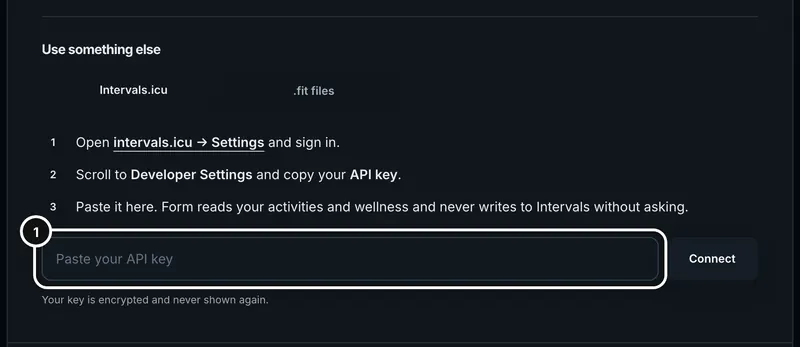
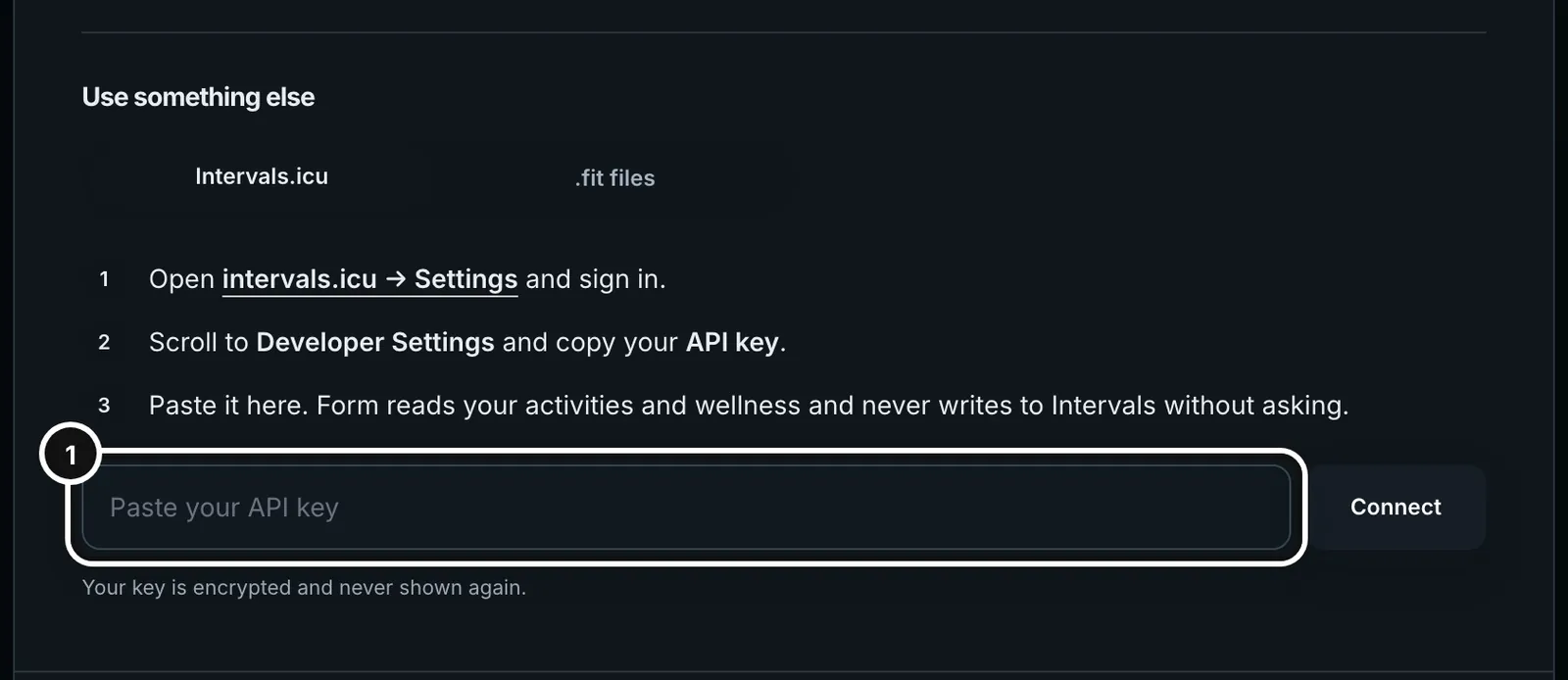
After setup, go to Coach in the sidebar. With no source connected, the page reads “Give the coach your data”. It offers Connect Garmin first and, below it, “Or paste an Intervals.icu API key” with a Connect button. If Garmin isn’t available it is just the key box. Profile → Connected data has an Intervals.icu row too. Before you connect, its Connect button opens a key box right in the card, with a link to where the key is in Intervals.icu. Once connected, the row shows when it last synced and an Open activities button.
Find your key in Intervals.icu
- Open intervals.icu and sign in. Form’s setup step links to intervals.icu/settings.
- In Settings, scroll to Developer Settings.
- Copy your API key. It is your own personal key, not your password.
Connect
- Paste the key into the field. The field hides it as you type.
- Press Connect. In setup the button reads “Importing your last year…” and a line says it can take up to a minute for a busy year. Nothing else on the step can be pressed meanwhile.
- Form checks the key by syncing straight away. When it works, setup says “Imported N sessions and N days of wellness.”
- If the key was already saved, the button reads Reconnect and the field says “Paste a new key to replace the saved one”.
Your key is stored encrypted on Form’s server and is never shown again. Your browser and phone never talk to Intervals.icu directly.
What gets read
- The first sync pulls the previous 370 days of activities and wellness.
- Wellness covers weight, resting heart rate, HRV and fatigue.
- Form also keeps what Intervals.icu already works out: fitness and fatigue, thresholds, and threshold pace for swims. The coach uses those numbers and doesn’t recompute them.
- Session detail (splits, streams) is fetched from Intervals.icu when you open a session or attach it to a question, and kept for up to seven days.
- If a session from Intervals.icu starts within 10 minutes of a Form recording of the same sport, Form keeps its own recording and drops the synced copy.
- Sessions synced from Intervals.icu cannot be deleted in Form because they would return on the next sync. Delete them in Intervals.icu.
Syncing
- Form refreshes every connected Intervals.icu athlete overnight, at 03:00 UTC.
- To refresh now, press Sync training data at the top of the Activities page, or Sync in the coach header.
- Both buttons appear only while Intervals.icu is your source. They are never shown for Garmin.
- Plans you approve go onto your Intervals.icu calendar in its own workout format, and Intervals.icu can pass them on to a device.
Sync now
1On Activities, press Sync training data at the top right.


If something goes wrong
- “We couldn’t validate that Intervals key. Check it in Intervals.icu → Settings → Developer.” The key was wrong, or Intervals.icu refused it. Form restores the previous key, or removes the attempt if there wasn’t one, so nothing half-connected is left behind. Copy the key again, without spaces, and retry.
- The key must be at least 12 characters. A shorter paste is refused before anything is sent.
- “Paste your API key first.” You pressed Connect with an empty field.
- A sync fails with “Intervals.icu is unreachable right now.” or “Intervals.icu did not accept that API key.” Your connection stays saved. Try again in a moment. If the key was revoked, generate a new one in Intervals.icu and press Reconnect.
- “Couldn’t import the latest Intervals data. Your connection is still saved; try again.” This is a temporary failure, not a disconnect.
- Publishing a plan fails with “Check that the connected key can write to your calendar”. The key needs permission to write to your Intervals.icu calendar.
Switching to Garmin
Connect Garmin from Profile → Connected data. The Intervals.icu connection is removed only after Garmin approves. The sessions and wellness Intervals.icu already brought in stay in Form. Details are in Connect Garmin.
Common questions
- Does Form change anything in Intervals.icu?
- Only when you approve a plan or place a workout on the calendar, and Form then writes those workouts to your Intervals.icu calendar. It does not edit your sessions or settings, apart from the ticked option on the trainer’s FTP result that also sets your Ride FTP in Intervals.icu.
- How far back does it read?
- The previous 370 days of activities and wellness.
- Why is there no Sync button for me?
- It is shown only while Intervals.icu is your source. If you use Garmin, Garmin pushes data to Form.
- Can I keep Intervals.icu and Garmin both connected?
- No. One training source at a time.