
Plan a race and estimate your finish
The race page: your own estimate beside Form’s projection, splits, a weekly line, and bike and run courses with their climbs.
Updated 4 November 2026
Every saved race has its own page. It works out a finish time from your thresholds and your recent sessions, keeps your own estimate beside it, and holds the race’s details, courses and race-week notes. Nothing on it changes your estimate unless you press a button.
Where to find it
Open a race’s page
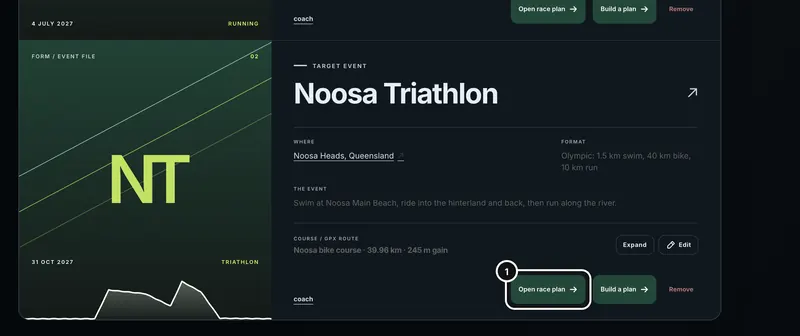
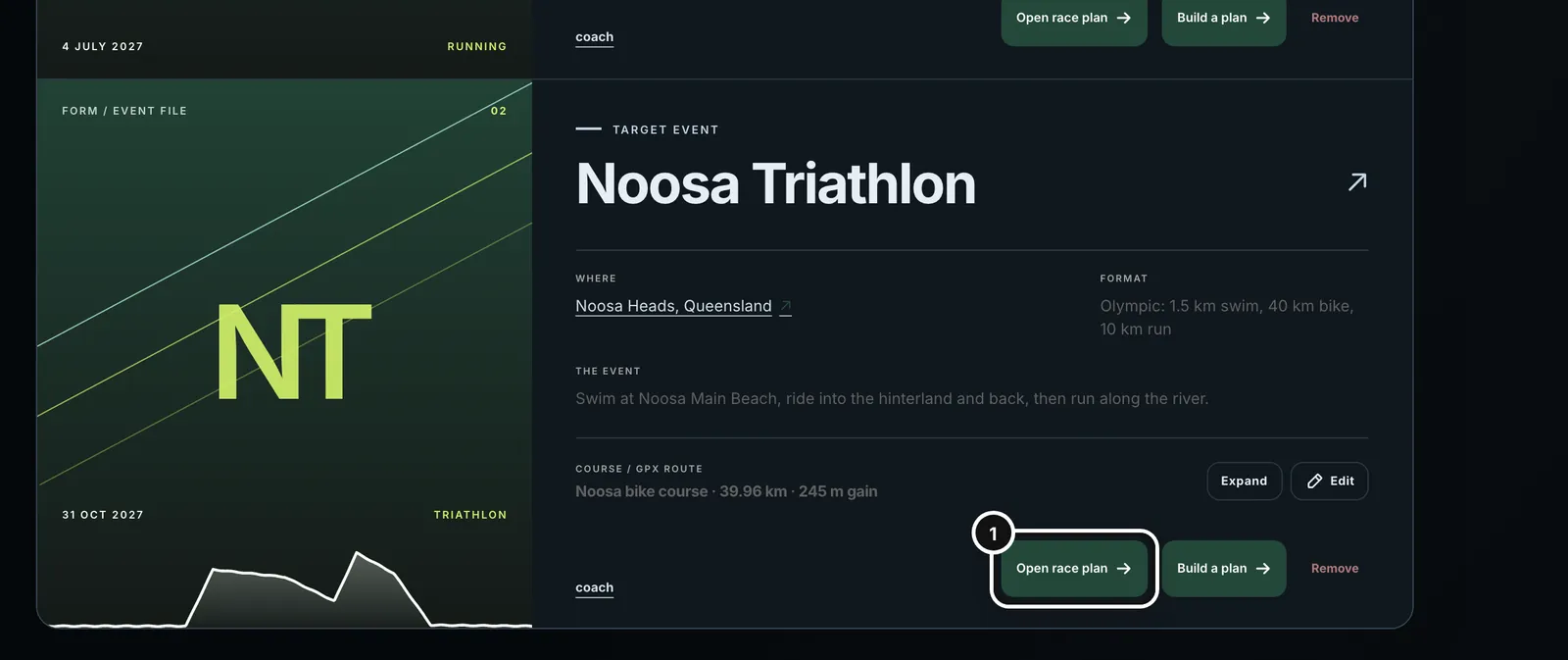
1On the Races page, press Open race plan on a race, or click the race’s name. A saved race card in a coach chat has the same Open race plan link.
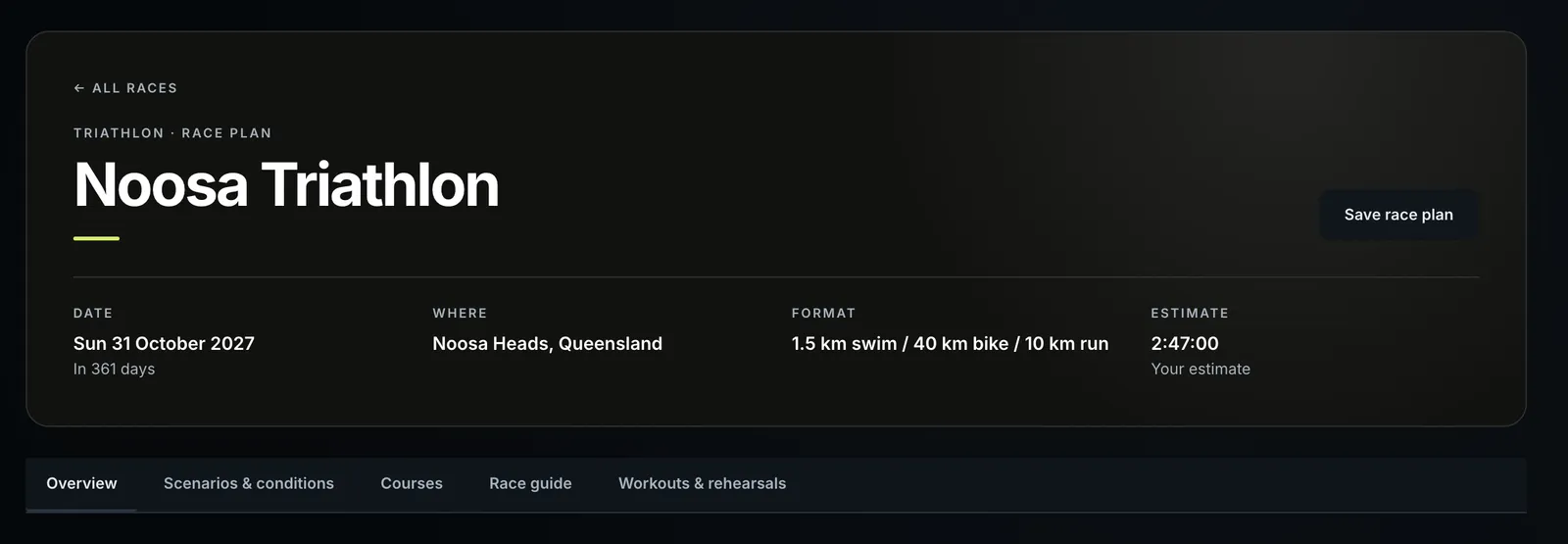
When the race has its own photo, or Form found the organiser’s logo on the race’s website, the header shows them: the photo behind the race’s name and the logo at the top right. Otherwise it is plain, as here.
The format fills itself in from what the race already says. A race described as “1.5 km swim, 40 km bike, 10 km run”, or named as a standard format such as a sprint, an Olympic, a 70.3 or a half marathon, gets its distances without you typing them. A leg the race doesn’t state stays blank for you to fill in under Race details on the Overview tab. Distances you type always win.
Your estimated finish
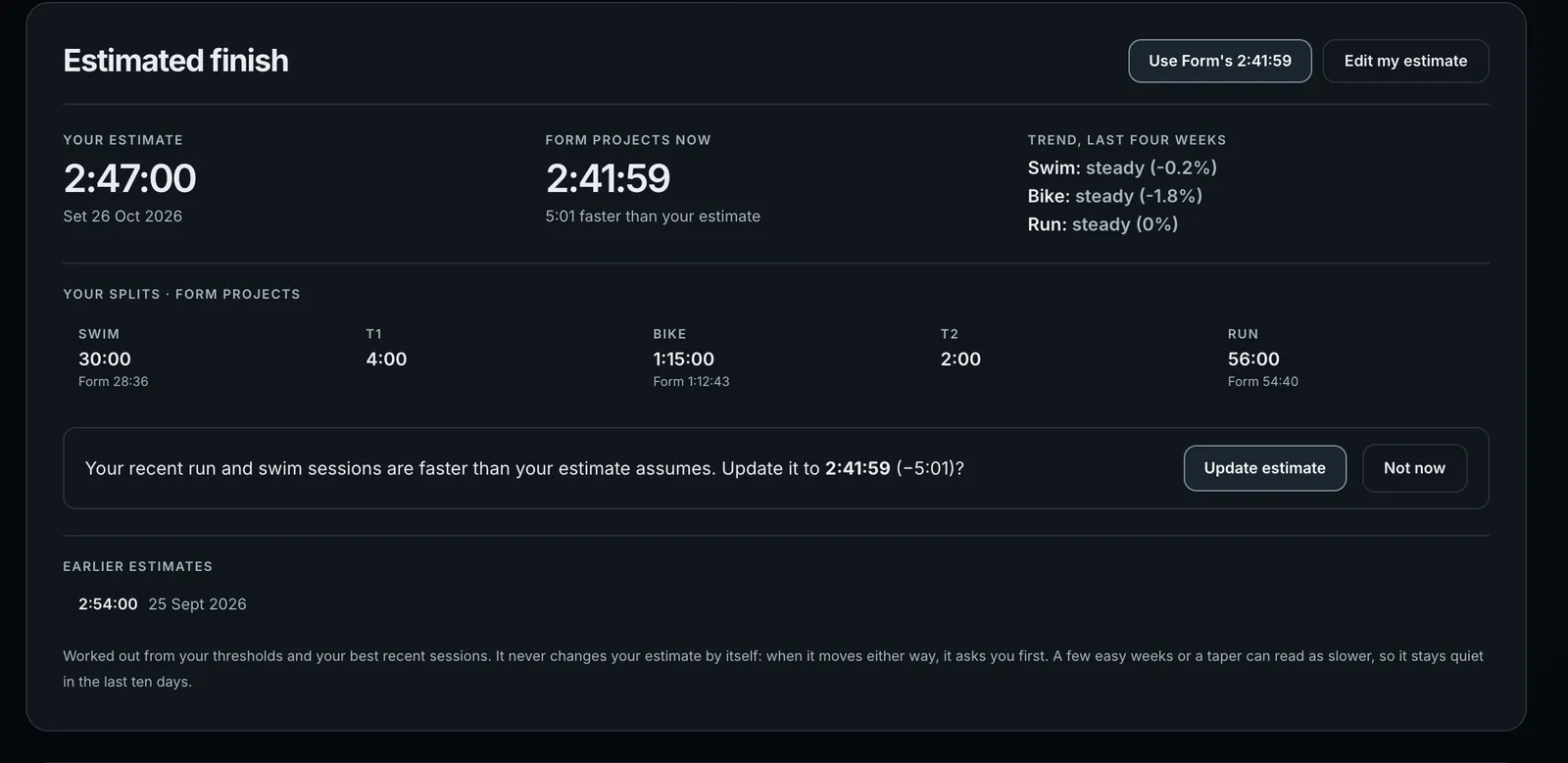
- Your estimate is the time you saved, with the day you set it. It only changes when you change it.
- Form projects now is worked out from your thresholds (bike FTP, run threshold pace and swim pace) and your best recent sessions. It uses your second-best effort of the last four weeks, so one fast session on a tailwind doesn’t move it.
- Trend, last four weeks says whether each sport is improving, steady or slipping against the four weeks before, with the change in percent.
- Your splits · Form projects lists each leg. Where your split differs from Form’s, Form’s time shows underneath. A triathlon includes T1 and T2. Before you save an estimate this row is headed Form projects and shows Form’s splits only.
- Earlier estimates keeps the times you replaced, with the date of each.
Set your estimate
- Work out my estimate saves Form’s projection as your estimate. Once you have one, the same button reads Use Form’s [time] whenever the two differ.
- Set my own estimate (Edit my estimate once you have one) opens Your own estimate, where you type the times yourself.
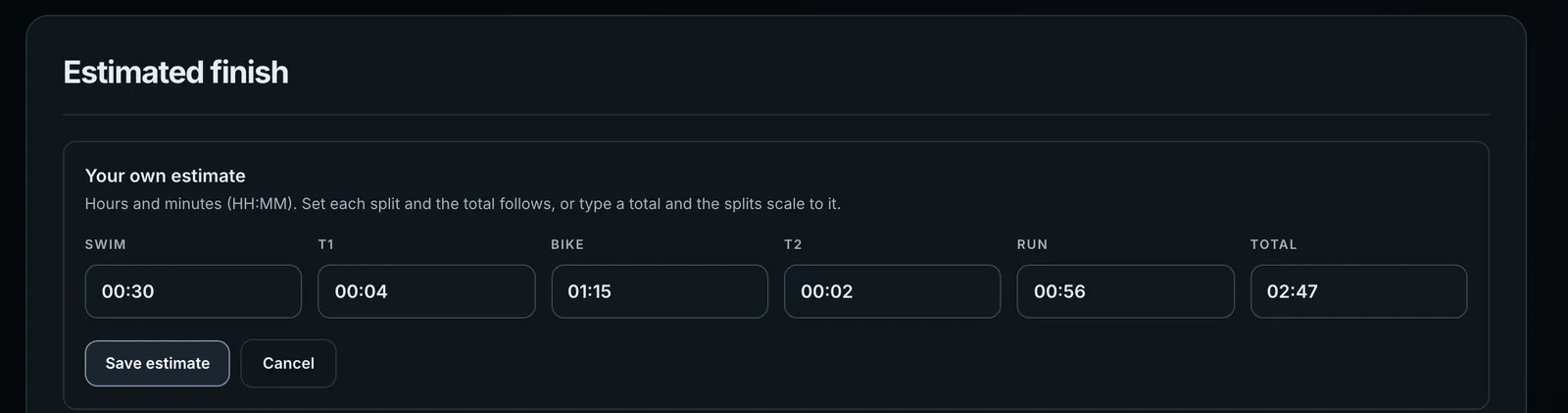
- Press Set my own estimate, or Edit my estimate.
- Type each time as hours and minutes. You only type digits: 2, 4, 5 reads 02:45.
- For a triathlon, set the splits and the total adds them up, or type a total and Form scales your splits to it. A single-sport race has only a total.
- Press Save estimate. The header’s Estimate now reads Your estimate, and the time you replaced moves to Earlier estimates.
If Form is missing a number it needs to time the race, the panel asks for just that number instead of showing a projection.
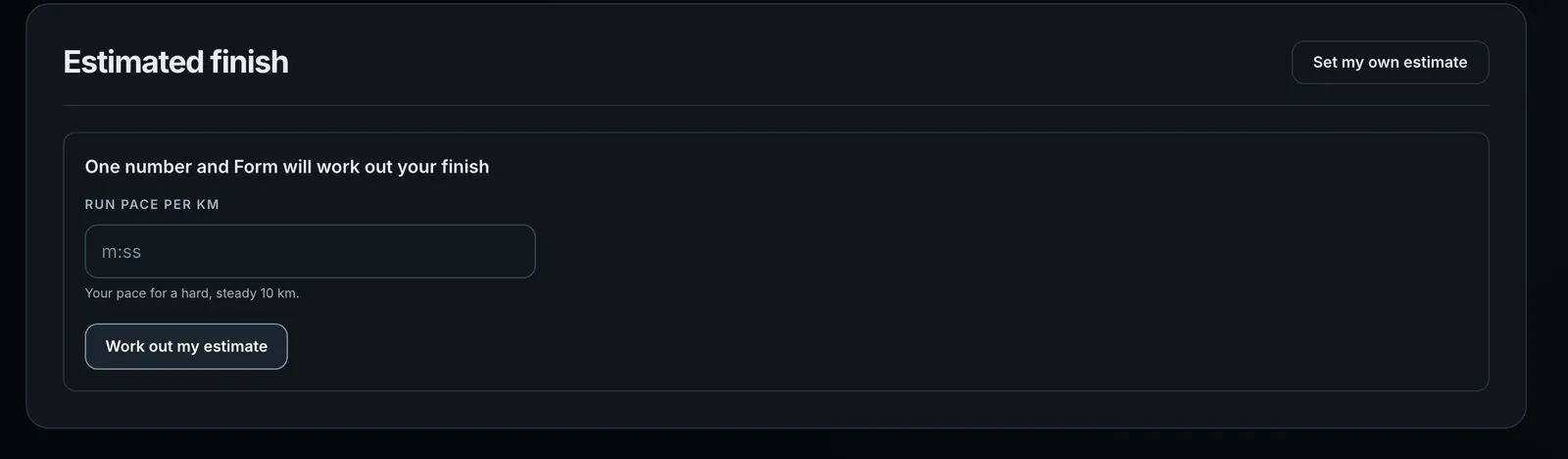
Type the number and press Work out my estimate. Form keeps the number on your profile and saves the estimate. A triathlon can ask for more than one: Swim pace per 100 m (a hard, steady swim of 400 m or more), Bike FTP (watts) and Run pace per km. If the race itself has no distance, the panel says to add it under Race details and save the race plan.
When Form suggests a new estimate
Form never changes your estimate by itself. When your recent sessions put you at least 1% (and at least 45 seconds) faster or slower than your estimate, the panel says so and asks.
- Faster: “Your recent run and swim sessions are faster than your estimate assumes. Update it to 2:41:59 (−5:01)?” Press Update estimate, or Not now.
- Slower: “Your recent bike sessions are slower than your estimate assumes. Your hardest efforts in the last four weeks put you at …” (with the sports and time that apply to you). Press Update estimate, or Keep my estimate.
- Not now or Keep my estimate silences that time. Form asks again only when the projection moves a real step further.
- It stays quiet in the last ten days before the race, because a taper reads as slow on purpose.
When the season you are training for ends at this race, the same suggestion comes after your weekly check-in in the coach: “You’re getting faster.” or “You’re falling behind.”, with Update my estimate and Not now or Keep my estimate.
Your projection by week
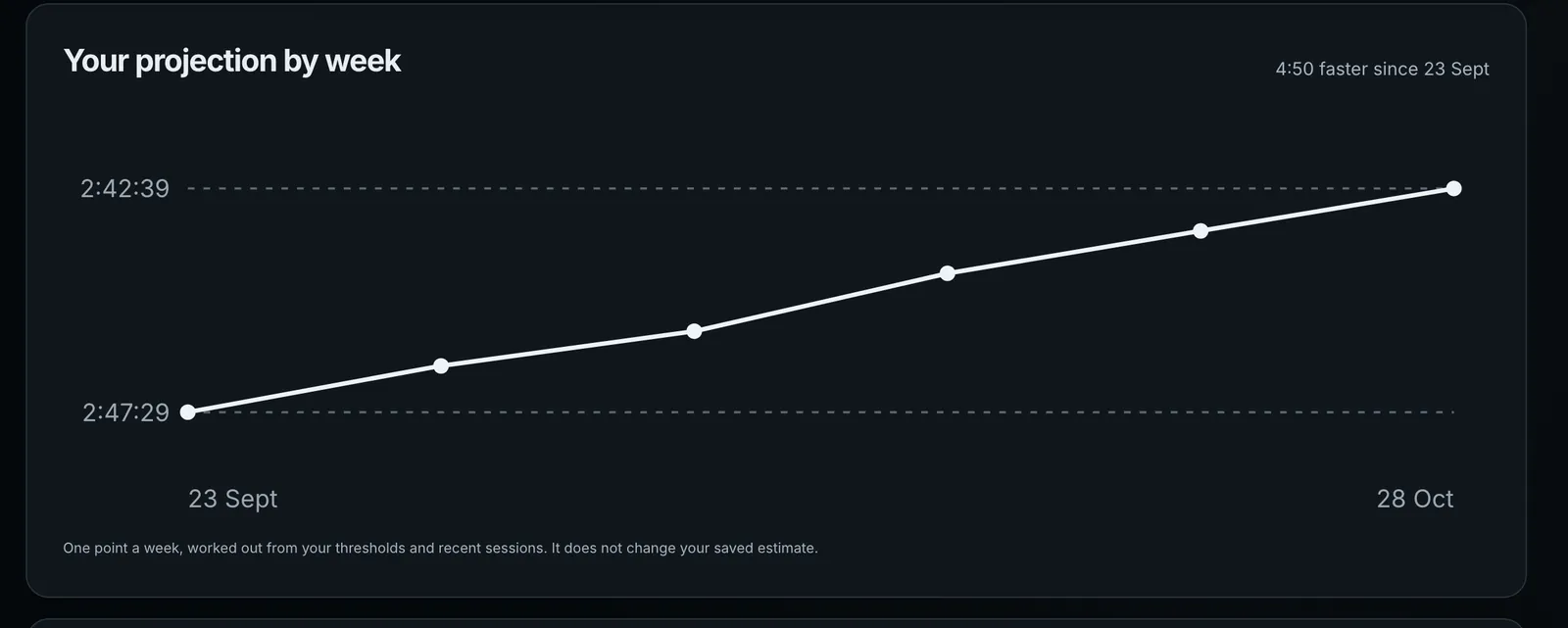
Once a week Form records what it projected for the race that week, so you can see your training move the time. The line starts when you first save an estimate and needs two points to draw. It never changes your saved estimate, and a higher FTP typed later doesn’t rewrite earlier points.
Courses: bike and run GPX files
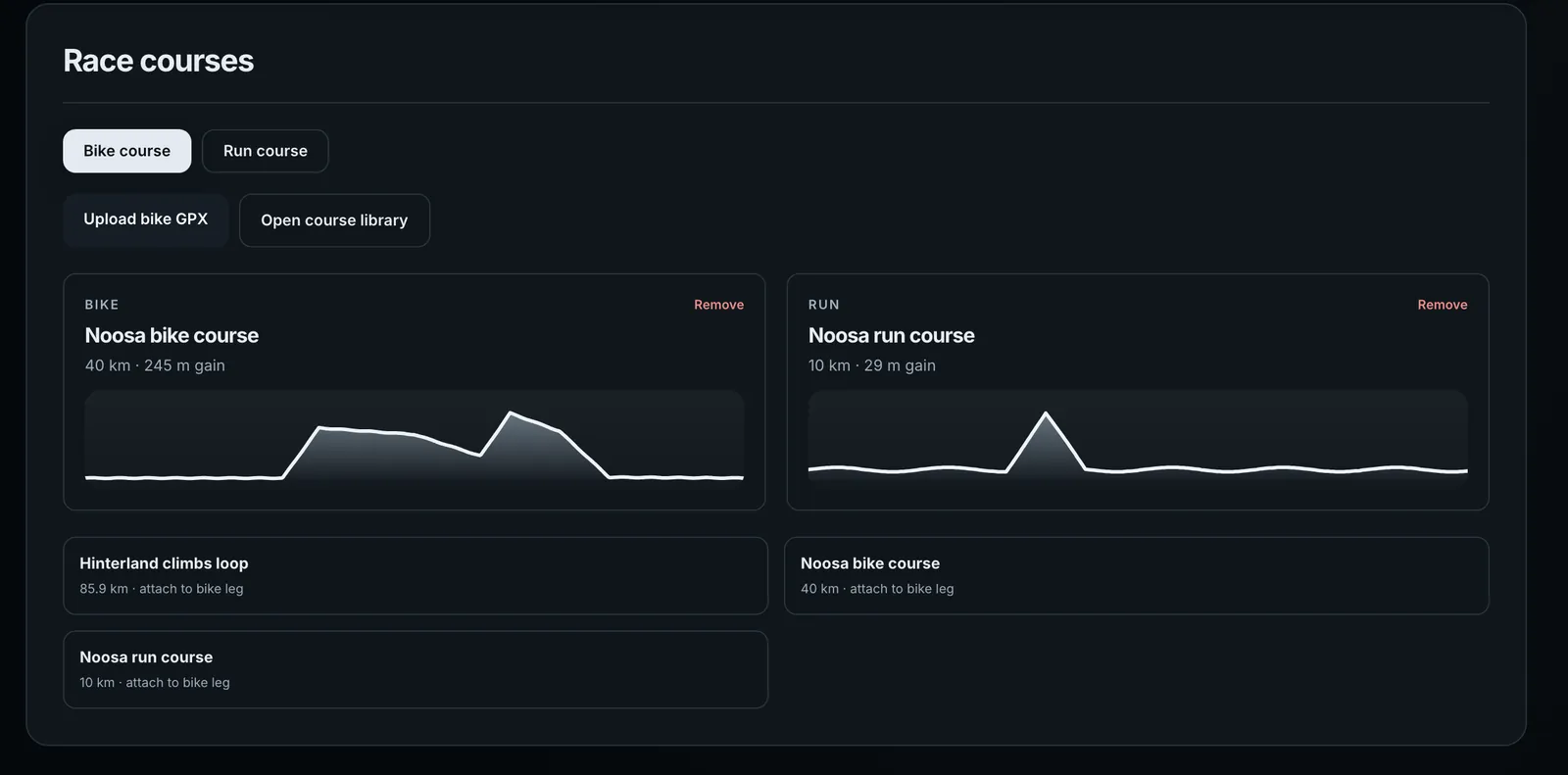
- Open the Courses tab.
- For a triathlon, choose Bike course or Run course first.
- Press Upload bike GPX (Upload run GPX for the run) to import a file, or press a course from your library underneath to attach it. Open course library goes to the Courses page.
- Press Save race plan.
The bike file’s climbing slows the bike split, and the run file’s climbing slows the run. If you attach one file for the whole event, bike then run in one track, Form counts only the bike’s share of it for the bike and the rest for the run. A single-sport race uses its one course.
Climbs
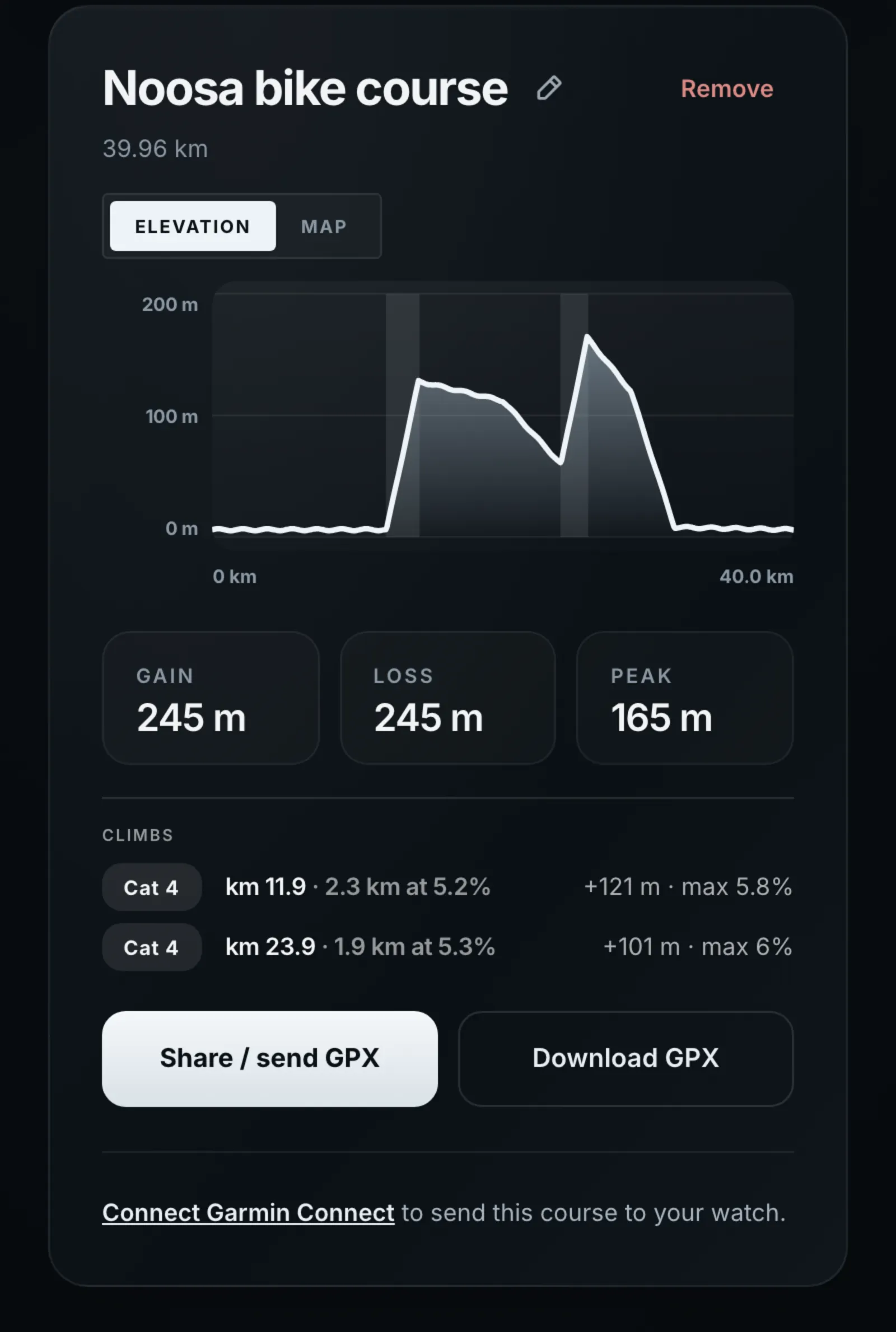
Form finds the climbs in a GPX course and categorises them as the Tour does, from Cat 4 up to HC, by length and average gradient. A climb has to be at least 500 m long and average 3% or more. In the race estimate each climb is timed at its own gradient and the rest of the climbing is spread over the ride. That happens when the race’s bike distance is within 10% of the course’s; otherwise the course’s total climbing is scaled to the race. The climbs list is on the Courses page; the race page’s course charts are too small to show it.
Ask the coach to change it
You can tell the coach a time instead: “set my Noosa estimate to 2:45”, or “make my bike split 1:12 for Noosa”. It saves exactly what you say, a total or one or more splits, never a guess. Change one split and the others stay as they were; the total is their sum. If the name matches two of your races, or Form can’t add up a total without a split it doesn’t know, the coach asks first. Its work list shows Updated a race estimate.
The other tabs
- Overview, below the estimate: Race details (event name, date, location, discipline, official source, description, and the distances, with T1 and T2 for a triathlon) and Current → aspiration, your numbers now and the ones you are aiming for: weight, FTP, run LT pace, lactate threshold HR, critical swim speed, bike + kit weight and CdA.
- Scenarios & conditions: race plans you name (Plan A, Plan B) with bike, run and swim intensity, wind and temperature, and the expected race weather.
- Race guide: a race-week action plan. Create checklist, then + Add action for each task.
- Workouts & rehearsals: generated workouts for the race, and race rehearsal results with average power, average heart rate and duration.
Common questions
- Does Form change my estimate on its own?
- No. It works out a projection and, when the gap is big enough, asks. Your estimate changes only when you press Work out my estimate, Use Form’s, Update estimate or Save estimate, or ask the coach.
- Why is there no projection on my race page?
- Form needs a threshold or recent sessions for each sport in the race, and the race’s distances. The panel asks for the one number it is missing, or says which distance to add.
- Does a hilly course change my estimate?
- Yes. Attach the course on the Courses tab and save the race plan. The bike course’s climbs, and a run course’s climbing, are timed into the splits.
- Can I see how my estimate has changed?
- Earlier estimates lists the times you replaced, and Your projection by week shows what Form projected each week.