
Seasons, blocks and weekly check-ins
How a plan toward a race is written one block at a time, and how check-ins change your week.
Updated 4 November 2026
A plan for a race, or one longer than six weeks, is not written session by session up front. Form writes a season outline to race day and then one block of three to four weeks at a time, so each block is based on what you actually did. In between, a weekly check-in lets you tell the coach how the week went, and the coach can propose changes to the coming days. This article covers how a season works on the web, where to find each part, and what happens if you skip one.
Where to find it
Season, reviews and check-ins
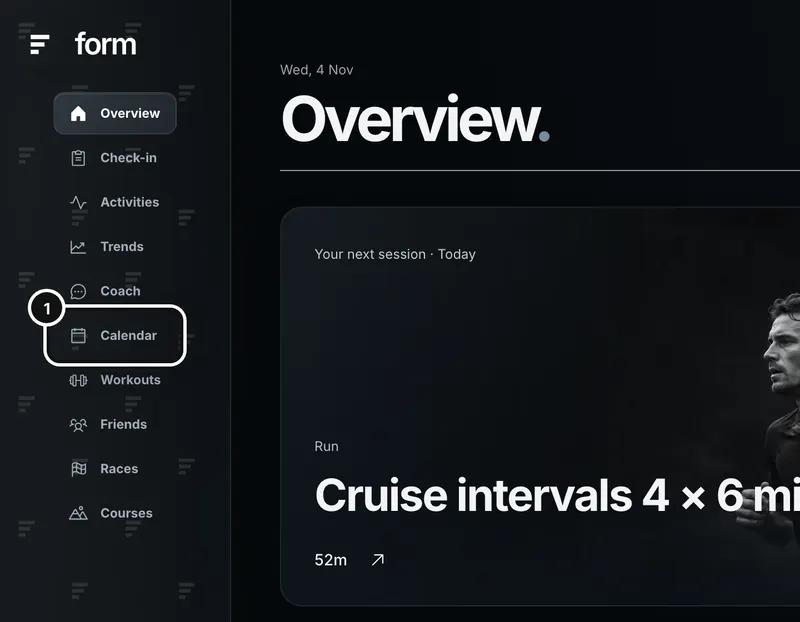
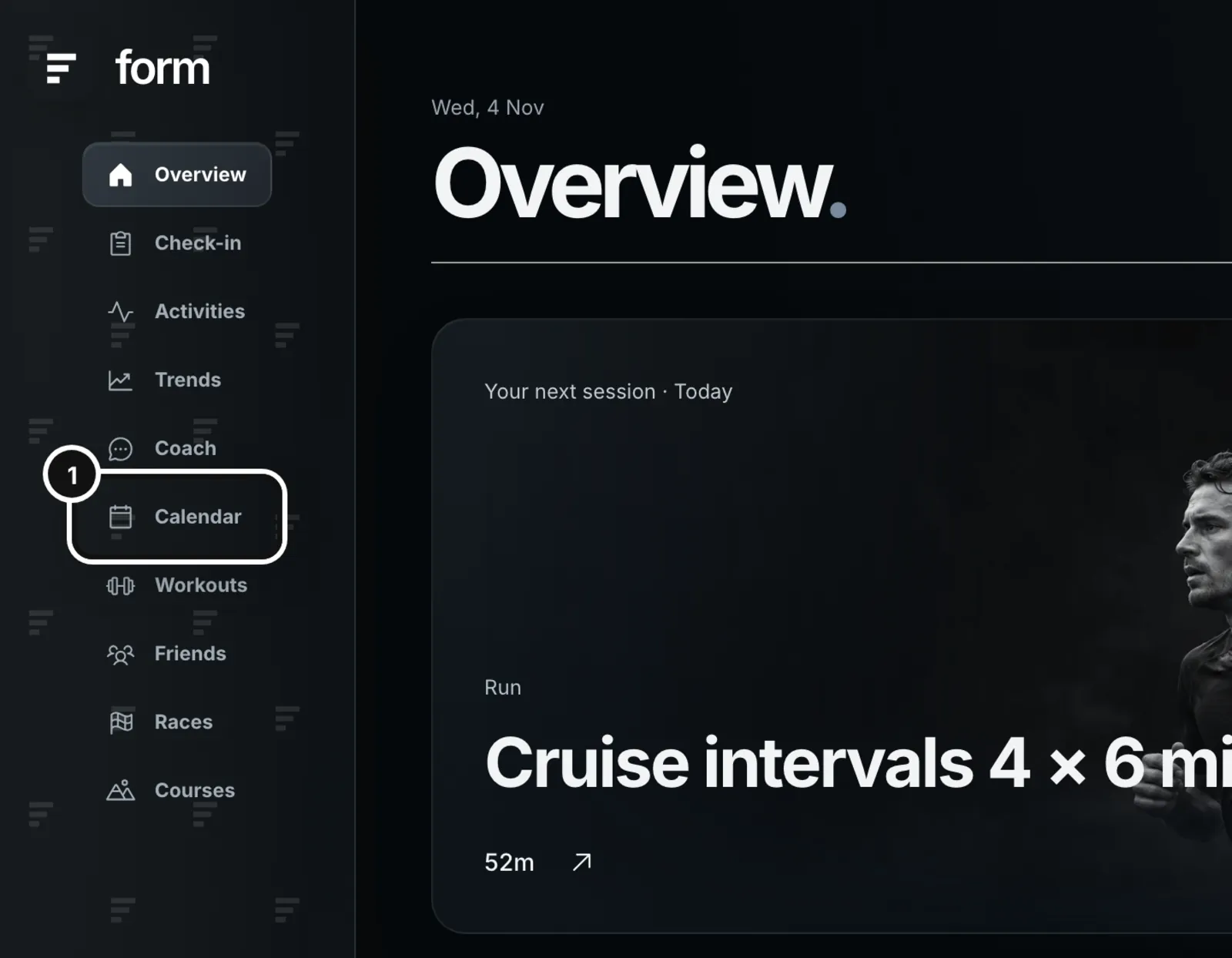
1Click Calendar in the left sidebar.
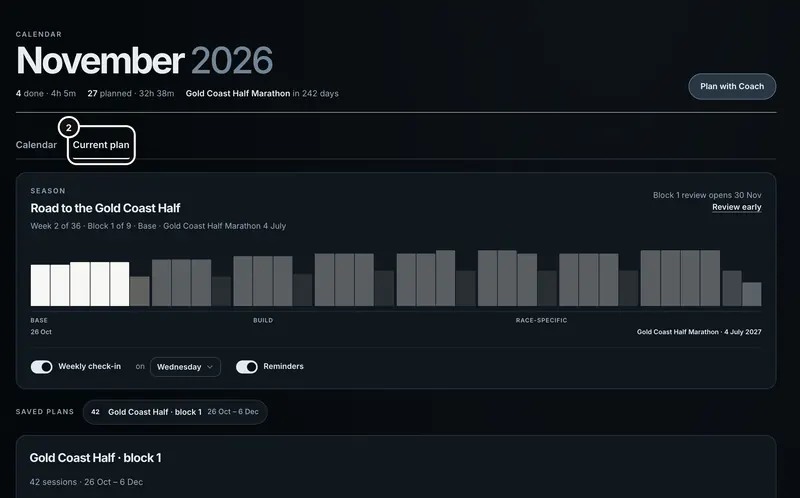
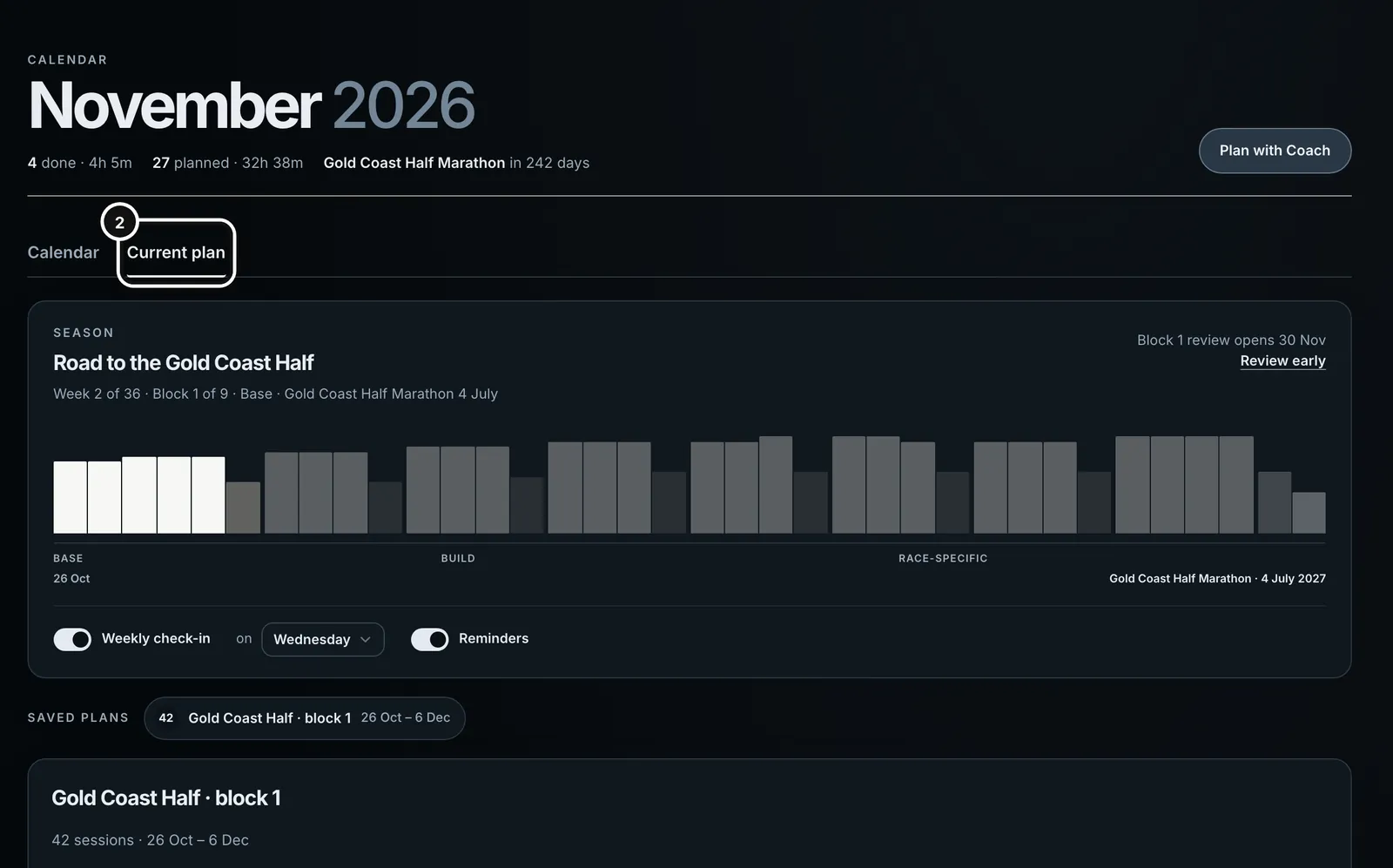
2Open the Current plan tab. When you have an active season, the Season band is at the top.
You will meet seasons in three places:
- The Coach, where the outline and each block arrive as cards you approve, and where reviews and check-ins happen.
- The Calendar’s Current plan tab, where the Season band shows your week, block and phase, the review button, and the settings, with the block’s sessions and your past check-ins below.
- Your inbox, for the reminder emails, and a window that opens in Form on your check-in day.
The Season band only appears once you have approved a first block. Until then the outline is a draft in the coach chat that wrote it.
How a season works
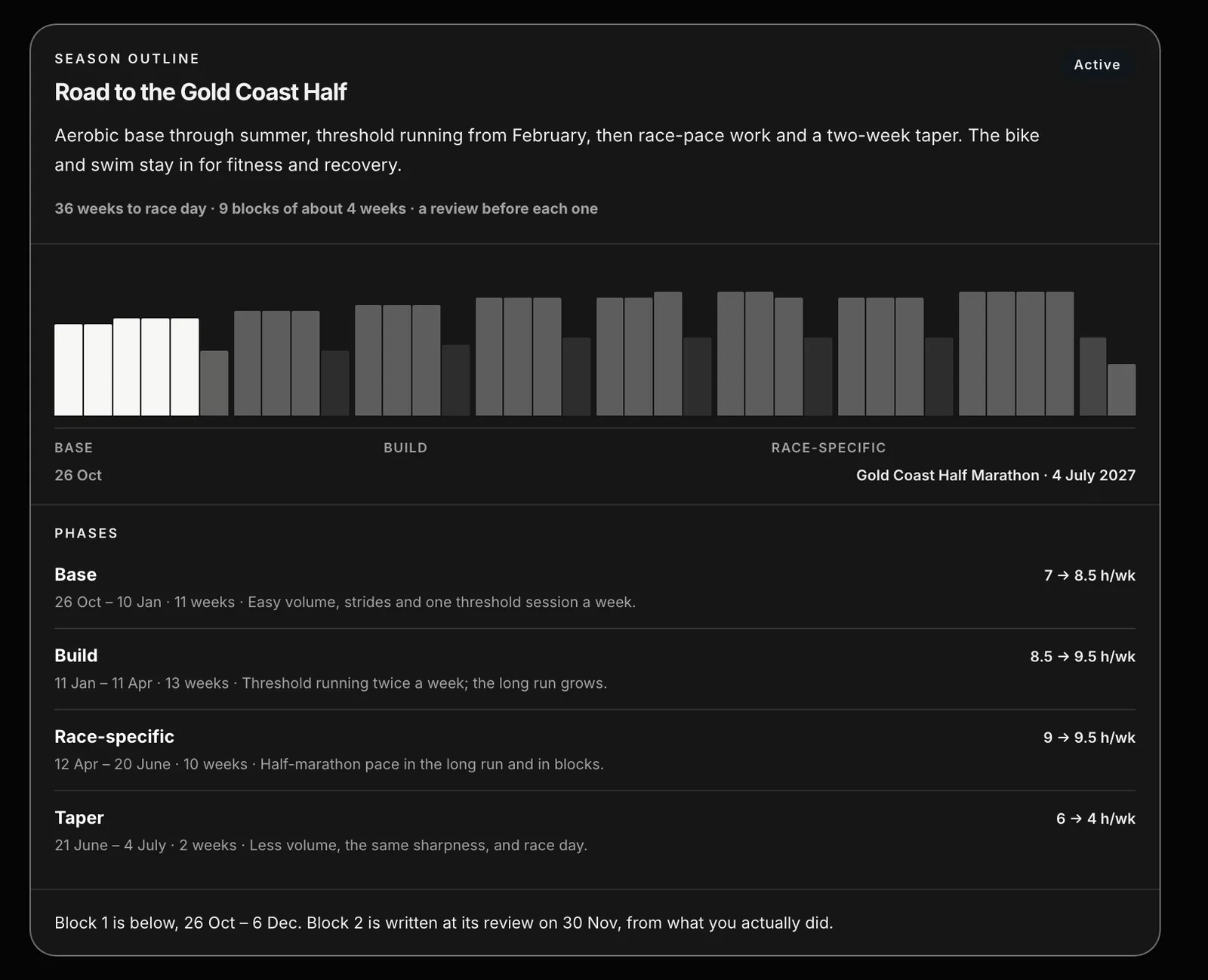
- Ask for a plan to a race. The coach asks what it needs (days a week, hours, access, anything to plan around, usually through the plan form), then drafts a season outline and the first block. The outline card shows the phases, their dates and weekly hours, and a bar for every week to race day. Form works out every date, block split and recovery week; the coach only chooses the phases and their focus.
- Approve block 1. The button reads “Approve block 1 & send to Garmin” (or Intervals). That sends the block to your calendar and starts the season. Approving is the only thing that saves a season.
- Train. Blocks are four weeks (or three, if the coach chose three), counted back from the taper, so the first block can be a little shorter or longer to make the rest line up. Each block ends with a recovery week at about two thirds of the week before it, except the block before the taper.
- At the end of the block, review it. The review opens on the Monday of the block’s last week. The coach compares what was planned with what you did, asks how it felt, and writes the next block from that.
- Repeat until race day. The last block is the taper and ends on the race.
Short races are a plan, not a season
A race six weeks away or less is one block, written to race day with no review. The coach writes it as an ordinary plan. A season only appears for longer runways, up to two years.
Block reviews
The review for a block opens on the Monday of its last week. When it is open, a new Coach chat shows a card (“Block 1 review is open”), and the Season band offers “Review block 1 and plan block 2”. Before it opens, the band shows the date it will and a Review early link, so you can do it sooner.
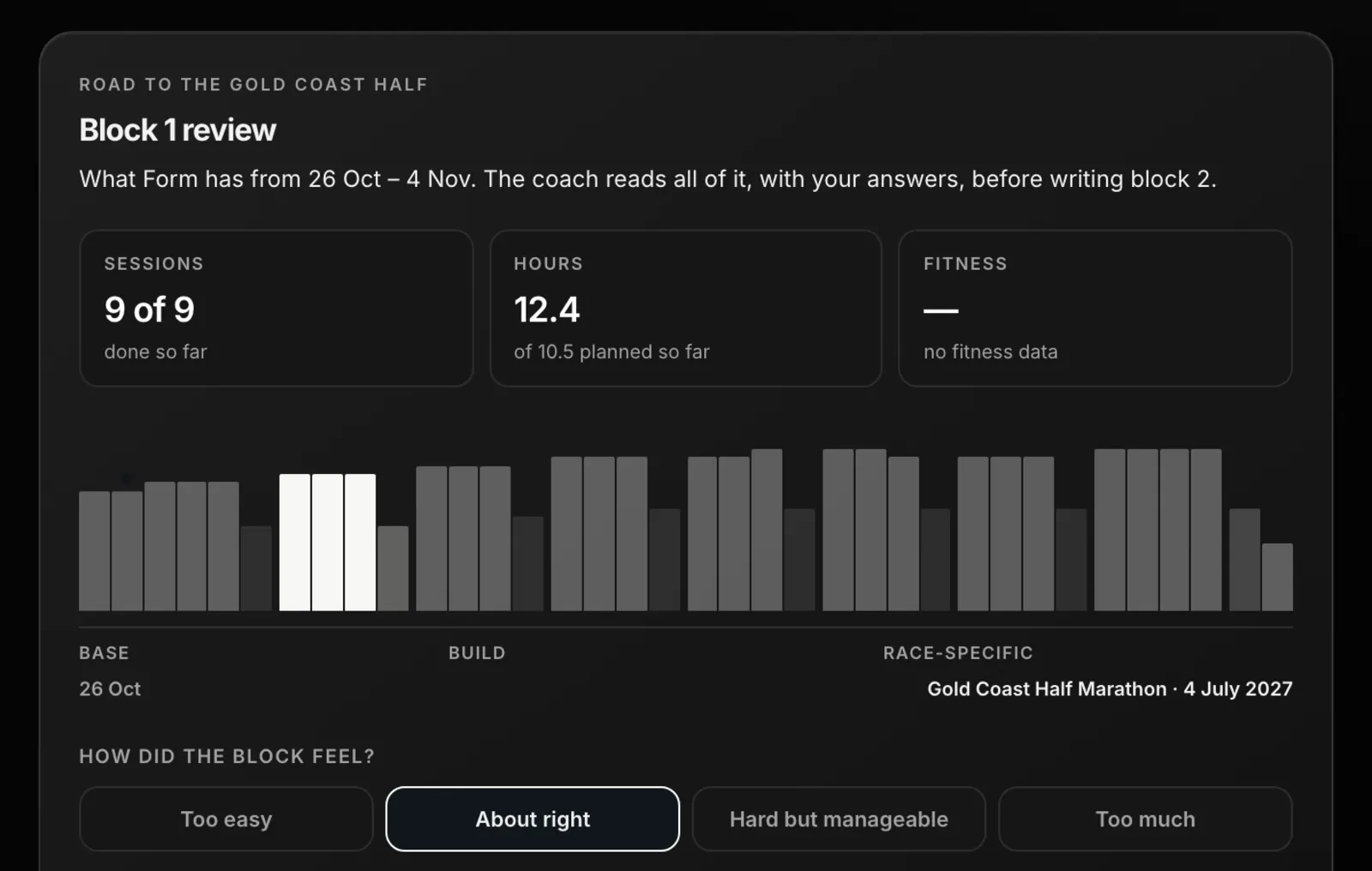
- The review shows planned against done for the block so far: sessions, hours and fitness. If Form lacks data, it shows a dash and says so rather than showing zeros.
- You choose how the block felt: Too easy, About right, Hard but manageable or Too much.
- It asks the same five ratings, illness and pain questions as a weekly check-in.
- Then the days a week and hours a week you have for the next block (the form says how many hours the outline asks for; less is fine, the coach scales the block to fit), and anything to plan around.
- Plan block 2 sends it. The coach writes the next block, and may rewrite the outline from the next block on. Earlier weeks are never changed. You approve the new block with its own button.
Weekly check-ins
Once a block is approved, a weekly check-in is offered on a day you choose. It takes about two minutes: the days and hours you have for the rest of the week, five ratings for the last seven days, illness and pain. On your check-in day a window opens in Form (“Your weekly check-in”, with Check in and Skip this week), a new Coach chat shows a “Your weekly check-in” card, and the Season band shows “Check in for this week”. You can also check in on any other day from the Check-in page. “Do a weekly check-in” goes through the form question by question.
Proposed changes and Apply
The coach reads the week just trained (planned against done, hours, fitness, HRV against your own normal range and resting heart rate) and your answers. If the coming days should change, it proposes a new version, shown as a card with each day before and after, and a reason for every changed day. If the week should stay as planned, it says so and shows no card.
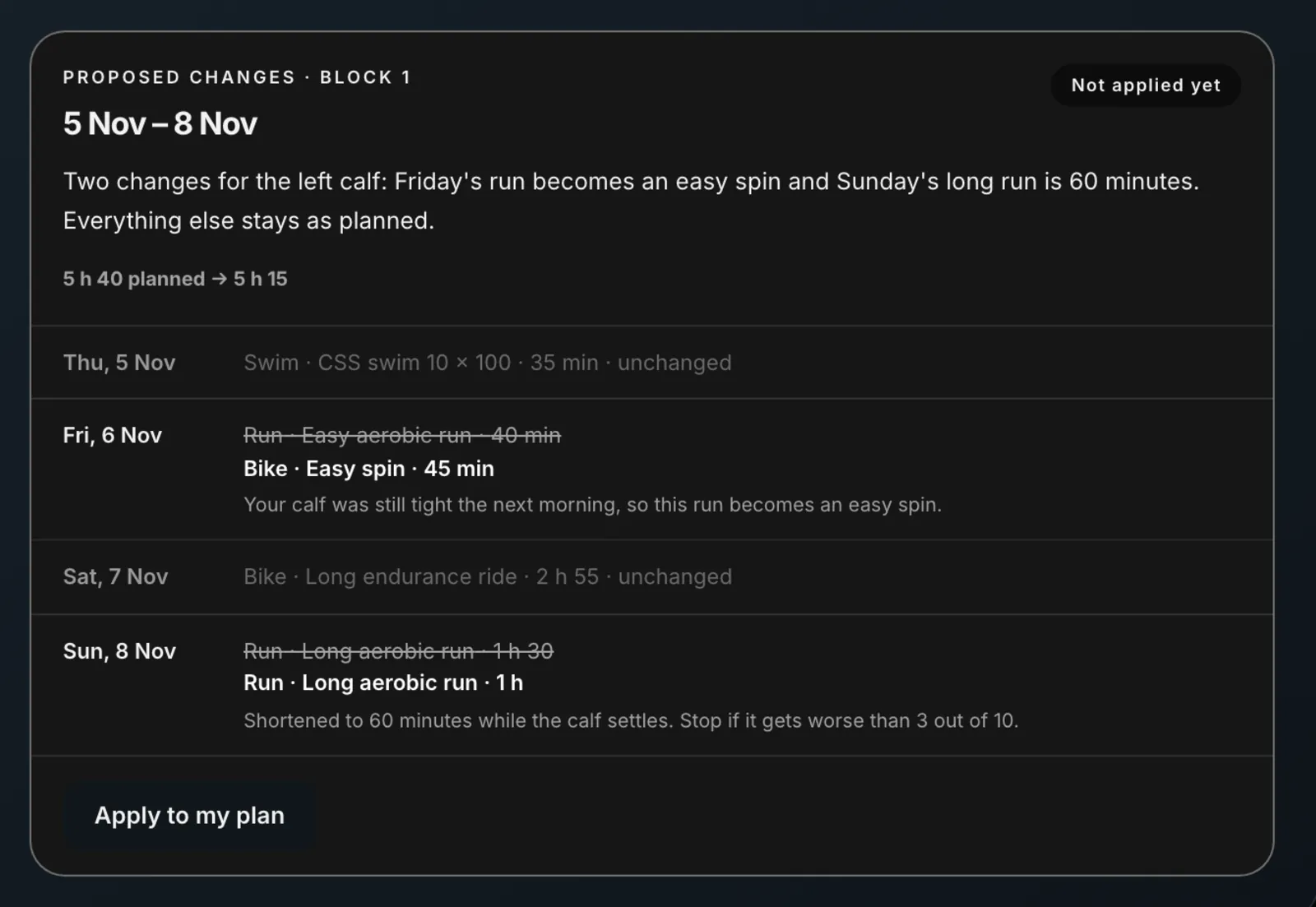
- Apply to my plan writes the change into your plan and resends it to your Garmin or Intervals calendar. The card then reads “In your plan and on its way to Garmin” (or “sent to Intervals.icu”).
- The change covers the day after your check-in to the end of that week, inside one block. A Sunday check-in covers the whole next week; one on a Wednesday covers Thursday to Sunday. Days already gone are never rewritten.
- Form will not accept a proposal that stacks three hard days in a row, and it flags back-to-back hard days, days crammed with extra sessions, and a run much longer than your longest in the last 30 days.
- Missed sessions are not made up on top of the week.
- If the plan changed after the proposal (you edited a session on the Calendar, or another change was applied), Apply refuses with “This week changed since the coach proposed this”. Ask for a new proposal.
- If your calendar does not accept the change, nothing is saved and the card says your plan is as it was. Try Apply again later, or save an edit from the Calendar.
- A change can be applied once. A second tap is refused.
Every check-in and review is listed under Check-ins on the Current plan tab, with whether its changes were applied.
Settings and reminders
In the Season band on the Current plan tab (or in the plan’s card when you pick the plan under Saved plans):
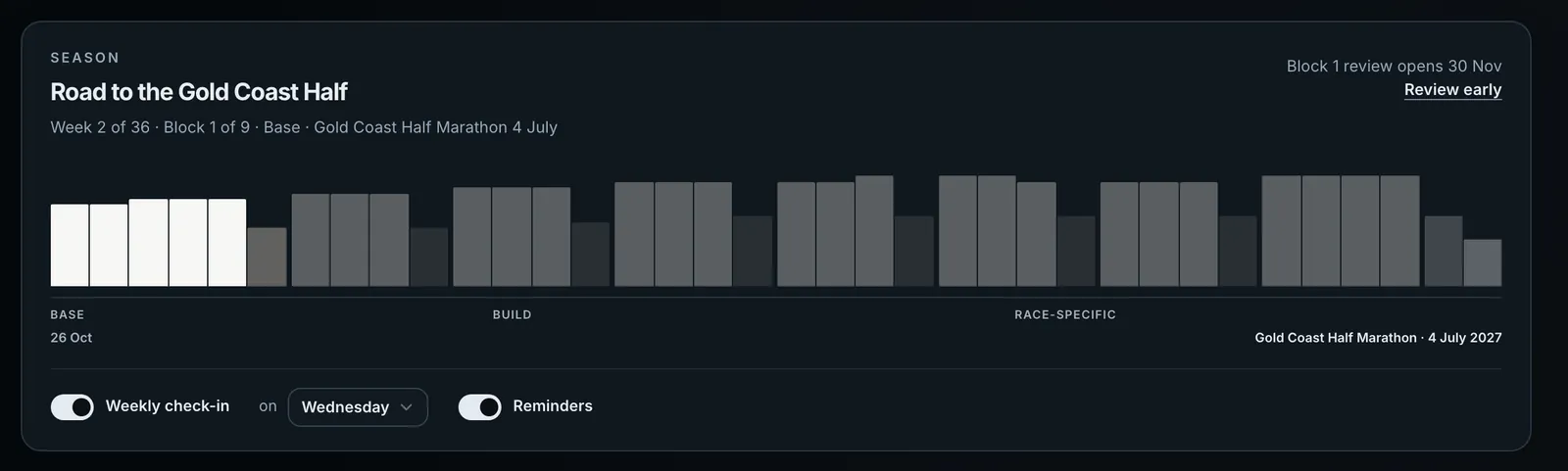
- Weekly check-in is a switch. Turn it off and the plan only changes at each block review. Turned on, a day menu sets which day you check in.
- Reminders is a switch for the emails. Every email also has a one-click link to turn reminders off without signing in.
Form emails you at 7 pm on your check-in day if you have not checked in that week, and at 7 pm on the check-in day before the next block starts to remind you to review. A reminder that missed its evening goes from 7 am on a later day. Time is your own local time, from the time zone your latest coach message was sent from. Emails go only to a verified address. There is no reminder for something you have already done.
If you skip one
- You skip a check-in with Skip this week in the window that opens on your check-in day. Closing the window doesn’t skip it. The week stands exactly as approved. Nothing changes without an answer and an Apply, and you can still check in from the Check-in page.
- You skip a review. The calendar runs out when the block ends and nothing new is sent. You can start the review any time from the Season band (Review early before it opens, or the review button after).
- You start a different season. Approving a block from a new outline replaces your previous active season.
Common questions
- Does a check-in change my plan by itself?
- No. The coach can propose changes, and they only go into your plan, and your Garmin or Intervals calendar, when you press Apply to my plan.
- Can I turn check-ins off?
- Yes. Switch Weekly check-in off in the Season band on the Current plan tab. The plan then changes only at each block review. Reminder emails are a separate switch.
- Why is my plan only a month or so long?
- Because each block is written from what you actually did in the block before. The outline already runs to race day, so you can see the whole shape.
- Can I review a block early?
- Yes. Press Review early in the Season band. The review uses what Form has so far, and the next block is written from that.